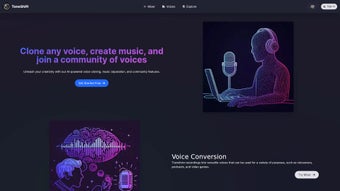

Download ToneShift – AI Voice Generator, Voice Cloning, Music Separation
Overview
ToneShift is an innovative AI‑powered voice generator that has quickly become a favorite among podcasters, video‑game designers, musicians, and anyone who needs high‑quality synthetic speech or music manipulation. Built on cutting‑edge deep‑learning models, ToneShift lets you clone any voice, convert existing recordings into new tonalities, and separate vocals from instrumentals with a single click. The platform is more than a simple text‑to‑speech engine; it offers a full‑featured Mixer that enables creators to blend multiple voices, tweak timbre, and experiment with pitch in real time.
Its community hub encourages users to share clones, remix tracks, and collaborate on large‑scale audio projects, turning what could be a solitary workflow into a vibrant ecosystem of creativity. Whether you are producing a narrated tutorial, a character dialogue for an indie game, or a personalized remix of your favorite song, ToneShift provides a secure, cloud‑based environment that handles heavy AI processing without demanding powerful local hardware. The service also respects privacy: uploaded audio files are encrypted, and voice‑cloning models are stored with strict access controls, ensuring that creators retain ownership of their unique voice assets.
In short, ToneShift combines advanced AI technology, an intuitive user interface, and a collaborative community to deliver a versatile audio toolbox that scales from hobbyists to professional studios.
Features, Voice Cloning, Music Separation & How to Use Them
- AI Voice Cloning – Replicate any human voice with just a few seconds of reference audio.
- Voice Conversion – Transform recordings into multiple adaptable voices for dubbing or character work.
- Music Separation – Isolate vocals and instrumentals from any track for remixing or karaoke.
- Mixer Tool – Layer, blend, and fine‑tune multiple voice tracks with real‑time preview.
- Community Hub – Share clones, request collaborations, and discover public projects.
- Secure Cloud Processing – All audio is encrypted during upload, processing, and storage.
- Cross‑Platform Access – Use the web app on Windows, macOS, Linux, Android, and iOS browsers.
- API Integration – Embed ToneShift capabilities into your own applications via RESTful endpoints.
Getting started with these features is intentionally straightforward. After you create a free account, the dashboard guides you through the three primary workflows: voice cloning, voice conversion, and music separation. For voice cloning, you simply upload a short (5‑15 seconds) sample of the target voice.
ToneShift’s AI model analyses pitch, timbre, and articulation patterns, then generates a personal clone that can be used to synthesize new sentences in the same style. The Voice Conversion tool works similarly but starts from a full‑length recording; you select the source voice, choose a target voice from your library or the community, and the engine re‑renders the speech while preserving the original timing and emotional cues. Music Separation is a drag‑and‑drop process: upload any MP3 or WAV file, and within seconds the service provides separate stems for vocals, drums, bass, and other instruments.
The Mixer lets you import these stems or cloned voice tracks, apply EQ, reverb, and pitch shift, and export the final mix in high‑resolution formats. Because all heavy lifting happens in the cloud, you only need a stable internet connection and a modest browser; no GPU or local installations are required, which makes ToneShift an ideal solution for creators on the go.
Compatibility, System Requirements, Pros & Cons
ToneShift is a web‑based application, which means it runs on any modern browser that supports HTML5, WebGL, and secure HTTPS connections. Tested platforms include Windows 10/11 (Edge, Chrome, Firefox), macOS 12+ (Safari, Chrome, Firefox), popular Linux distributions (Ubuntu, Fedora) and mobile browsers on Android 9+ and iOS 13+. Because the processing is performed on ToneShift’s servers, there are virtually no local CPU or GPU requirements—just a reliable internet connection with at least 5 Mbps upload speed for smooth audio uploads.
Pros
- High‑quality voice cloning that captures subtle nuances of the source speaker.
- Instant music separation without the need for third‑party plugins.
- Fully cloud‑based, eliminating the need for powerful hardware.
- Robust privacy controls and end‑to‑end encryption.
- Active community for sharing and collaborative projects.
- Cross‑platform accessibility via any web browser.
- Flexible API for developers who want to integrate AI voice features.
Cons
- Dependent on an internet connection; offline usage is not possible.
- Free tier imposes limits on the number of cloning minutes per month.
- Advanced features (batch processing, high‑resolution exports) require a paid subscription.
- Voice cloning quality can vary with very short or noisy reference samples.
- Complex projects may need a learning curve to master the Mixer interface.
Overall, the advantages of ToneShift far outweigh its drawbacks for most creators. The convenience of a cloud service, combined with state‑of‑the‑art AI models, makes it a compelling choice for anyone looking to enhance audio content without investing in expensive studio equipment. The subscription pricing is competitive, especially when you consider the time saved on manual editing and the creative possibilities unlocked by voice cloning and music separation.
Review Summary: ToneShift delivers a powerful blend of AI voice cloning, conversion, and music separation in a user‑friendly, cloud‑based environment. The platform’s strengths lie in its high‑fidelity output, cross‑platform accessibility, and vibrant community. While the free tier is limited and offline use isn’t possible, the paid plans are reasonably priced for professional creators. The pros listed above illustrate why ToneShift is quickly becoming a go‑to tool for podcasts, game audio, and music remixing.
FAQ – Everything You Need to Know & Final Verdict
Can I clone a celebrity’s voice with ToneShift?
ToneShift allows you to clone any voice for which you have legal permission to use. Cloning a public figure’s voice without consent may violate copyright or privacy laws, so we recommend only cloning voices you own or have explicit rights to.
How long does it take to generate a voice clone?
After uploading a 10‑second reference clip, the AI model typically finishes training within 2‑3 minutes. The resulting clone can be used instantly for synthesis or conversion tasks.
Is there a limit on the size of audio files for music separation?
The free tier caps uploads at 50 MB per file. Paid plans raise this limit to 500 MB, which is sufficient for most full‑track songs. Larger files can be split into segments before uploading.
Do I need any special hardware to use ToneShift?
No. Because all processing occurs in the cloud, any device with a modern web browser and a stable internet connection can access the full feature set.
Can I export my projects in lossless formats?
Yes. Premium subscribers can download stems and final mixes in WAV or FLAC formats at 24‑bit/96 kHz resolution. Free users are limited to 16‑bit/44.1 kHz MP3 exports.
In conclusion, ToneShift stands out as a comprehensive, AI‑driven audio suite that bridges the gap between professional sound design and everyday creativity. Its cloud‑first architecture means you can work from a laptop in a coffee shop, a desktop studio, or even a tablet on a commute—without compromising on quality. If you’re looking to add realistic voice‑overs, generate custom character dialogue, or remix your favorite tracks with isolated stems, ToneShift offers a secure, affordable, and community‑backed solution. Ready to transform your audio workflow? Download ToneShift now and start exploring the future of voice and music customization today.



.png)



